
NEW
Goals Report
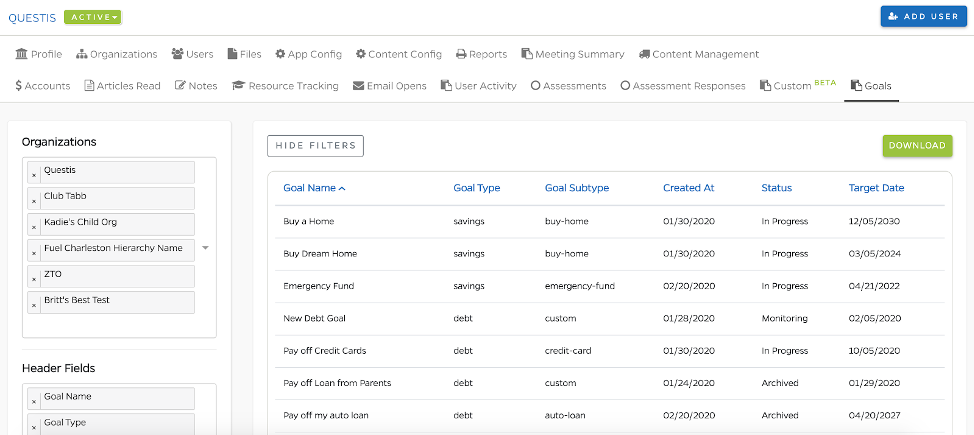
- With the recent enhancement to the Goals feature, an entirely new organization Goals Report has been added to the QRM to provide detailed reporting on the new Goal capabilities. This report is only available for organizations that have enabled the Goal updates. This report functions much like the Custom Report, in that QRM users are able to:
- Report on multiple organizations in a single report
- Select various goal and participant data elements to populate the report headers
- Query on the selected headers
- Download the report as a .csv
Investments
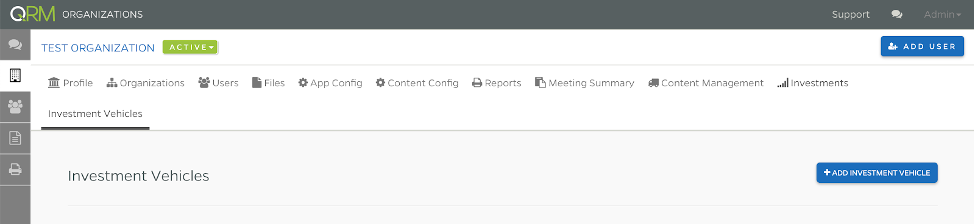
- Those organizations using the Plans feature of the platform will have noticed the addition of an organization Investments tab. This new feature will be used to house and display data related to participant investment plan data. Further details will be shared in future Release Notes. If you have any questions, please don’t hesitate to contact success.
IMPROVED
User Notes
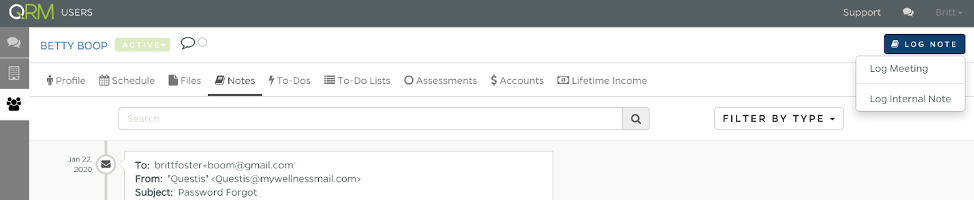
- It’s now easier than ever to log a meeting or note on a participant’s profile. The button to access this feature has been relocated to the participant profile header. This allows the logging to be initiated when viewing any area of the participant profile, and supports easy viewing and searching historic user notes.

Resource Icons
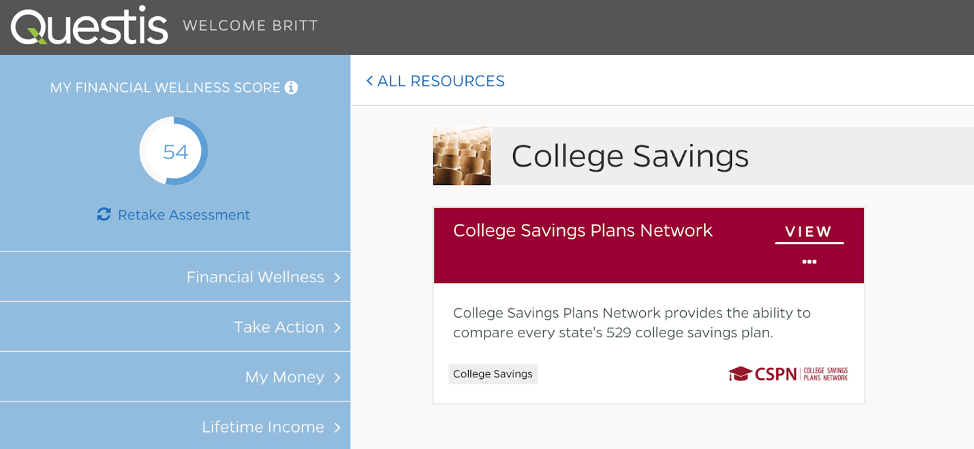
- A cleaner layout to Resource icons has been deployed with the updated Goals feature. This provides participants with a description of the resource and eases creation of resources for QRM users.
FIXED
QRM Events
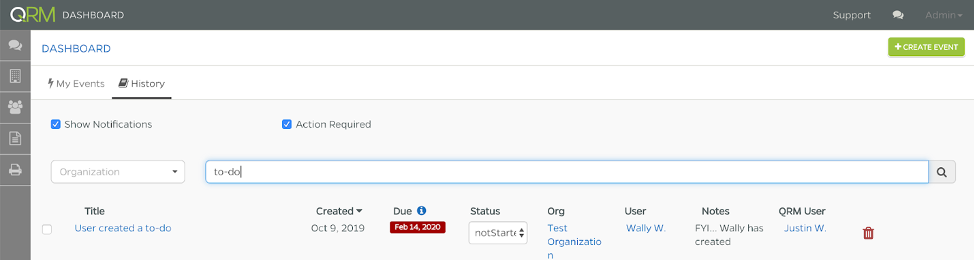
- When participants created To-Dos, dashboard notifications were not displaying correctly. This bug has been fixed.
REMOVED
Empty Goals
- With the enhancement to the Goals feature, Other (or To-Do Based) Goals have been migrated to To-Do Lists. We have fixed a bug in which these goals were able to be created without any content (To-Dos) associated. Any To-Do Lists in this empty state have been deleted.
Comments
0 comments
Please sign in to leave a comment.