
NEW
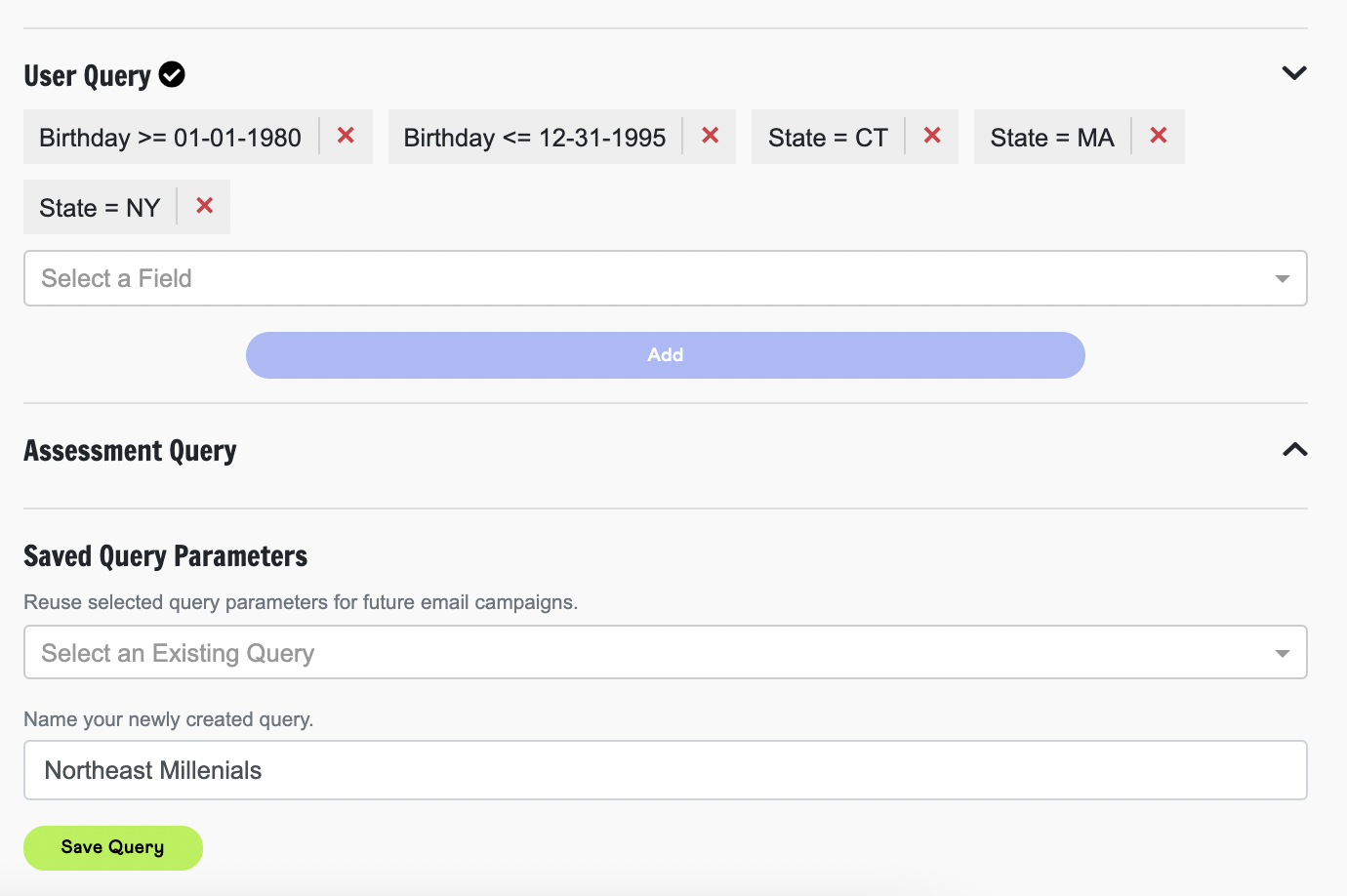
Save Recipient Query Parameters
- As a QRM user creating an Email Campaign, you now have the ability to save down your recipient query parameters for use in future campaigns. Once you have configured your recipient query parameters, set a name for your newly created query and ‘Save Query’. You’ll then have access to this recipient query parameter when sending future email campaigns from this organization.
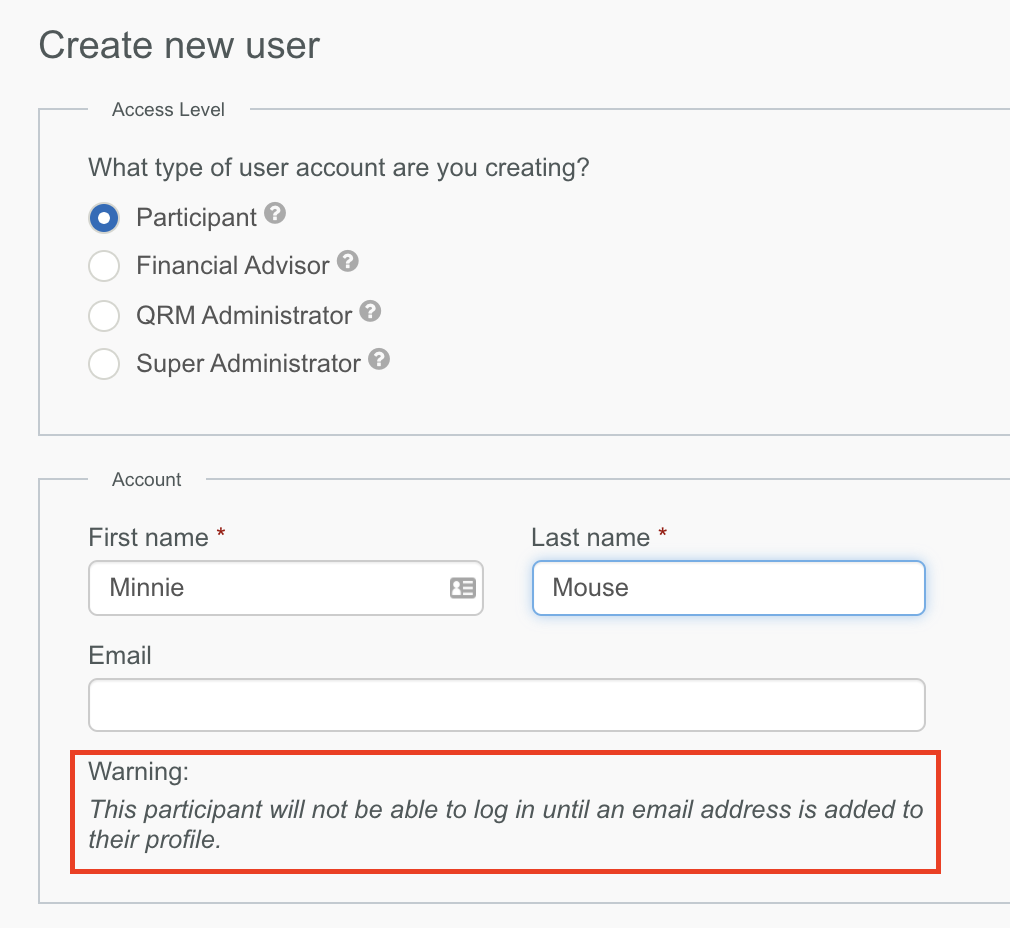
Participants Without Email Addresses
- Functionality has been added to all for the one-off creation of manual participant users without an email address. Participants created without email addresses will not be able to log in to the platform (until an email address has been added to their profile); however, this will allow advisors, coaches, administrators and other QRM users to log notes and maintain a profile for these participants.
IMPROVED
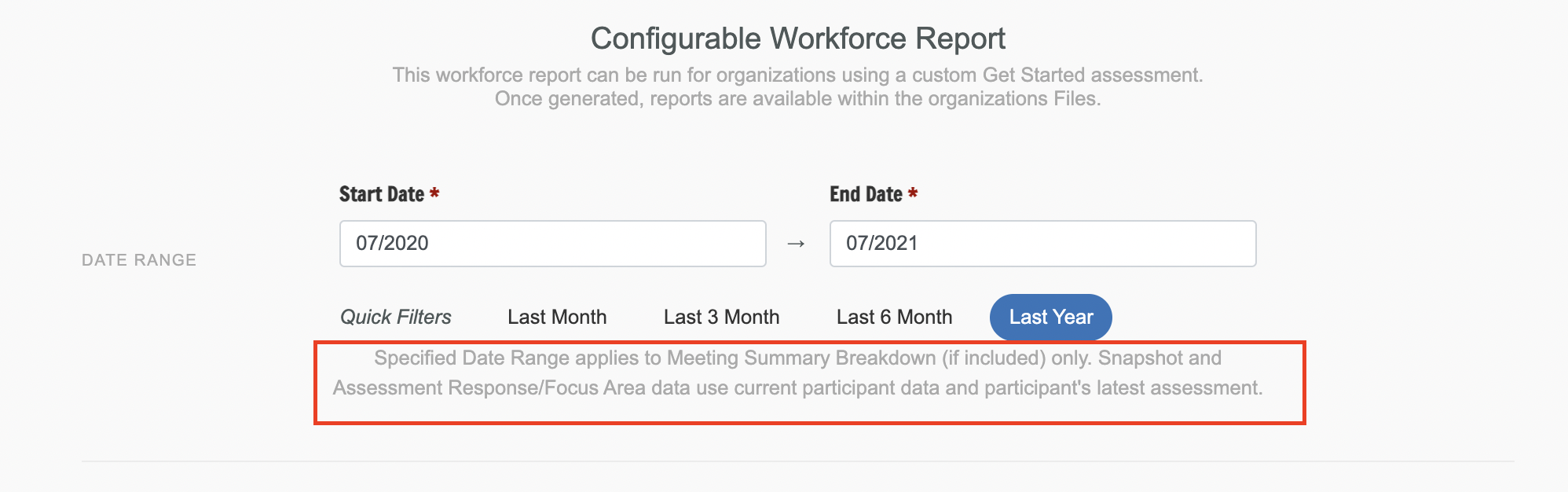
Workforce Report
- Clarifying help text has been added to the Workforce Report configuration in the QRM to explain that the date range set for the report applies only to the Meeting Summary data (if included).
Article & Resource Access
- The accessibility of articles and resources from their cards has been enhanced to allow access when clicking anywhere within the card.
College Savings Goal
- Previously the ‘Percentage I Will Pay’ field on a College Savings goal was prohibited from being blank - even in initial setup. This logic has been adjusted to allow the default data to be deleted entirely to key in any value 1 - 100. If left blank, the calculation will not complete and an error indicator displays on the empty field.
Comments
0 comments
Please sign in to leave a comment.