
NEW
Platform Resource Links
- QRM Administrators now have the ability to configure resources that link to platform features. As an example - with this new functionality, you can direct participants to set up a budget with the My Money widget via to-do. These internal links can route to specific My Money widgets and Lifetime Income calculation tool. Additional platform feature routes may be able to be added, please reach out to our team if you have requests for new routes.
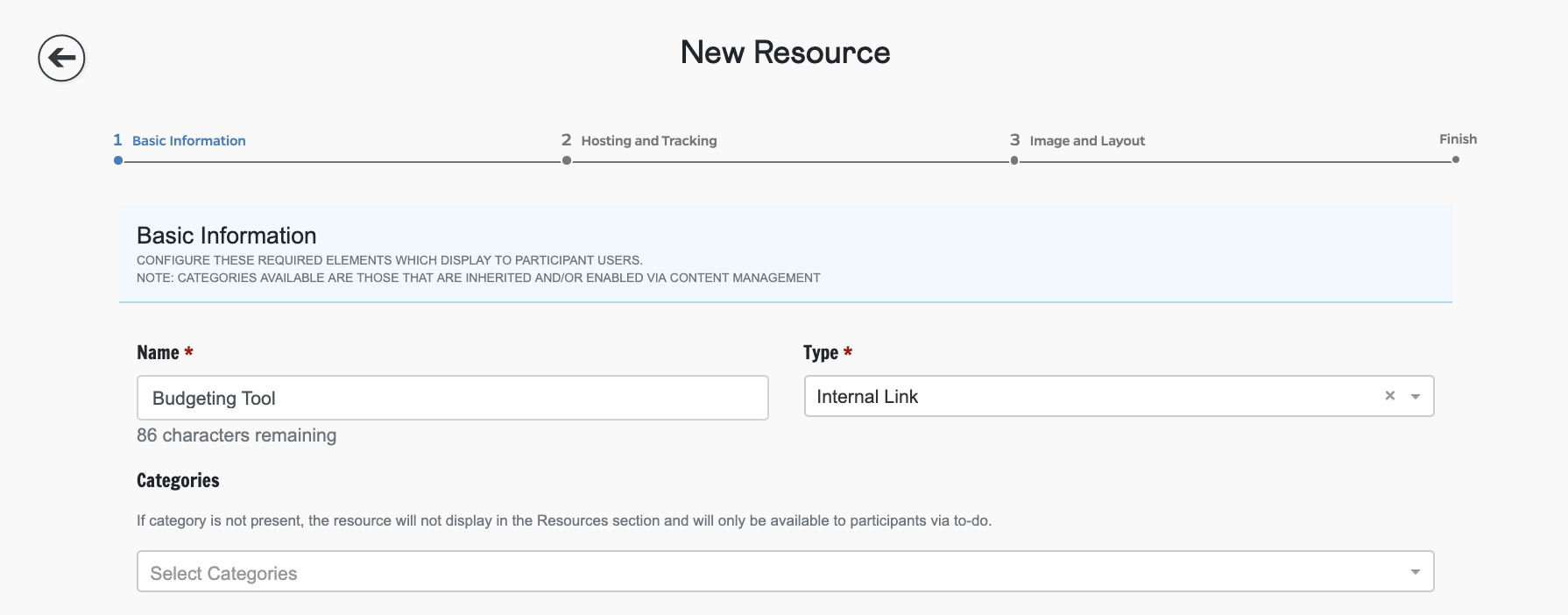
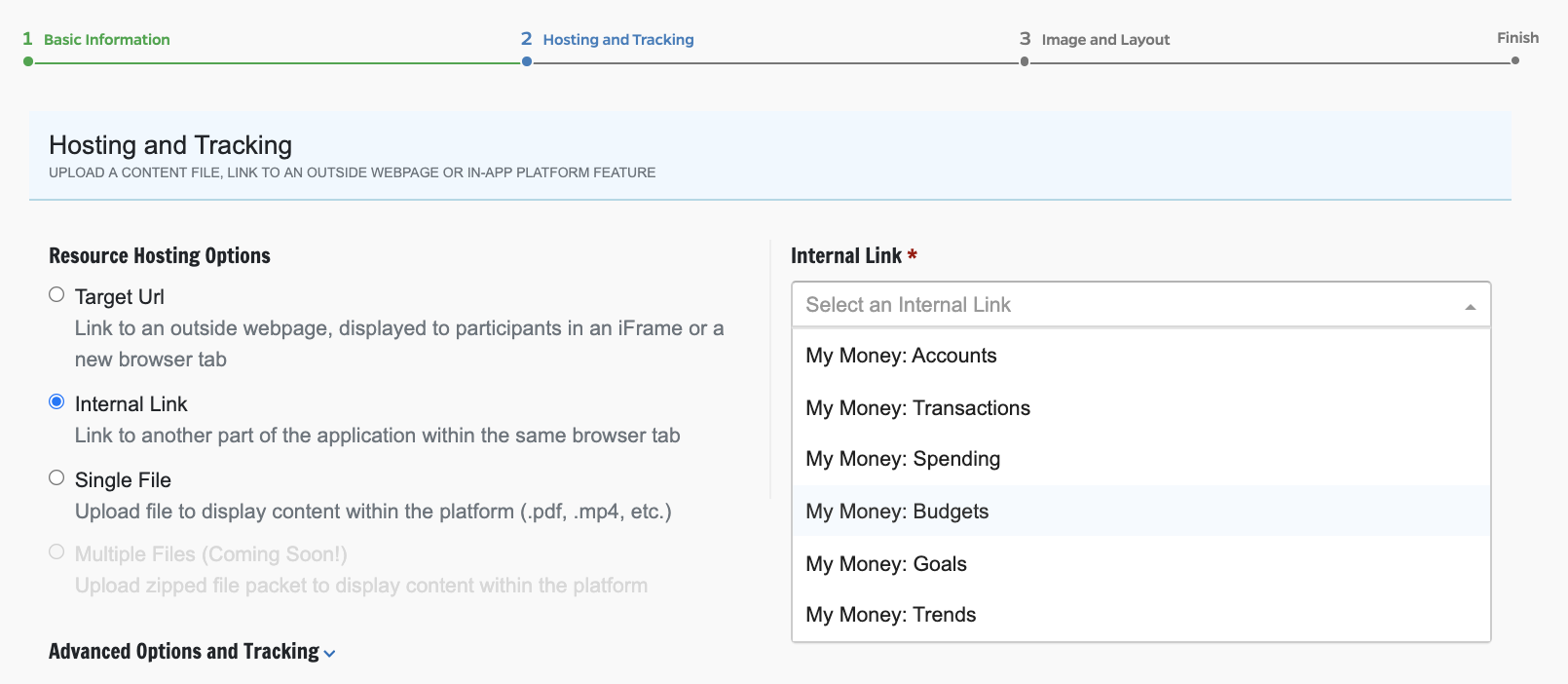
The Lifetime Income internal link is available to all organizations, even if the Lifetime Income feature is disabled on that organization. In the event that this link is set up and made available to a user who does not have access to the Lifetime Income feature, the user will be routed to the dashboard upon access attempt.
Optional Resource Categories
- The resource category field has been made optional. When a resource is configured without a category, it will not display in the Resource section. It will, however, be available to link to to-dos. With this, you are able to better control participant access to resources ensuring you’re only routing them to resources appropriate for their situation.
FIXED
Mobile Account Aggregation
- A bug that impeded the ability to aggregate accounts when accessing the platform via mobile device has been fixed.
Eligibility Dashboard Event
- A bug in which dashboard event notes for eligibility jobs did not ever update to note the job as complete has been fixed.
Billing Info
- A bug in which QRM Administrators were unable to save edits to an organization’s Billing Information has been fixed.
Secondary Email Address
- A bug in which secondary email required at registration was not displaying to the participant on their profile has been fixed.
Comments
0 comments
Please sign in to leave a comment.