
You have the ability to hide your financial information from your advisor. Navigate to your profile by clicking the hamburger menu in the top right corner.

Click over to the security tab and find the Account Access card. Click the pencil icon in the upper right corner to edit this information.
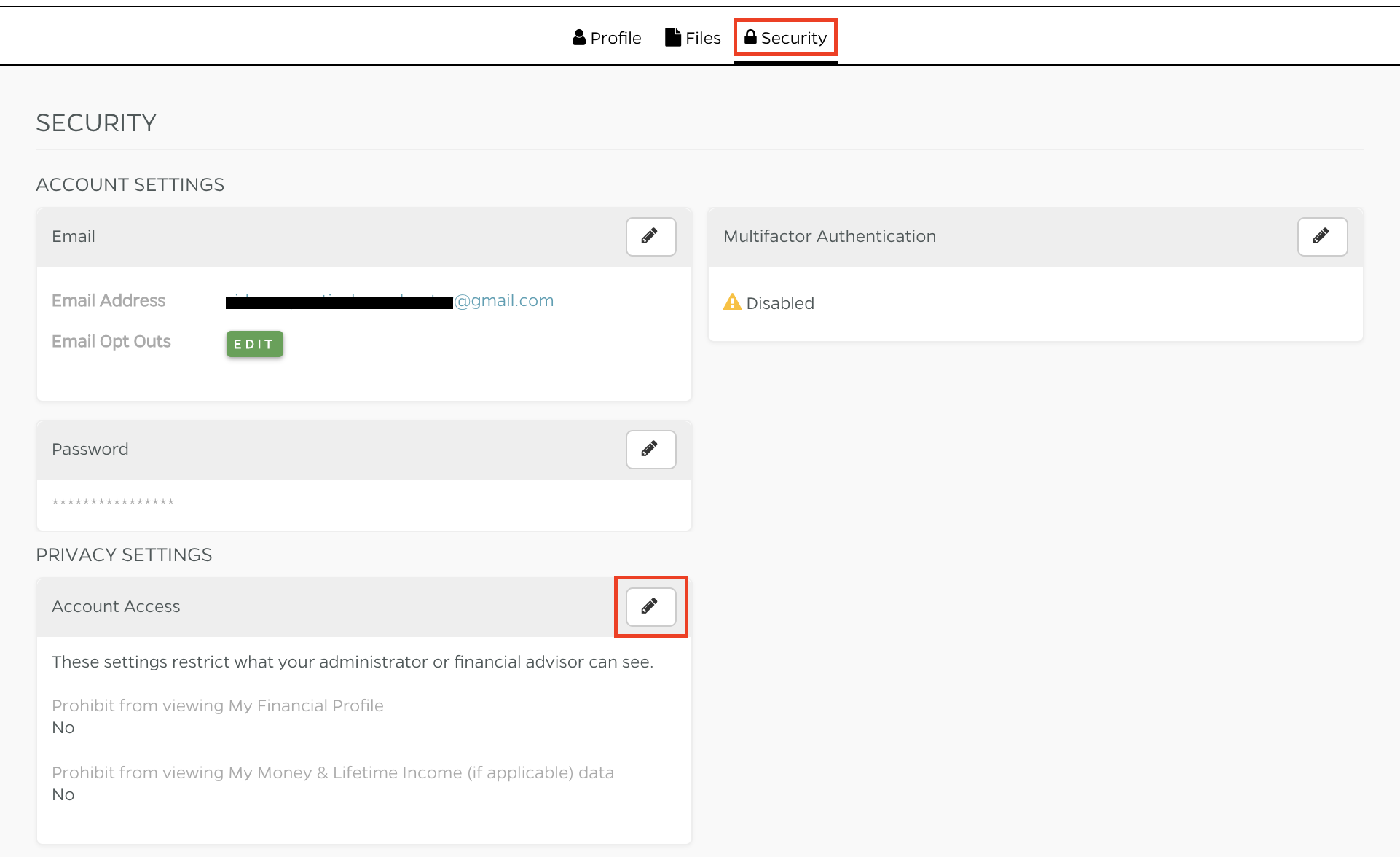
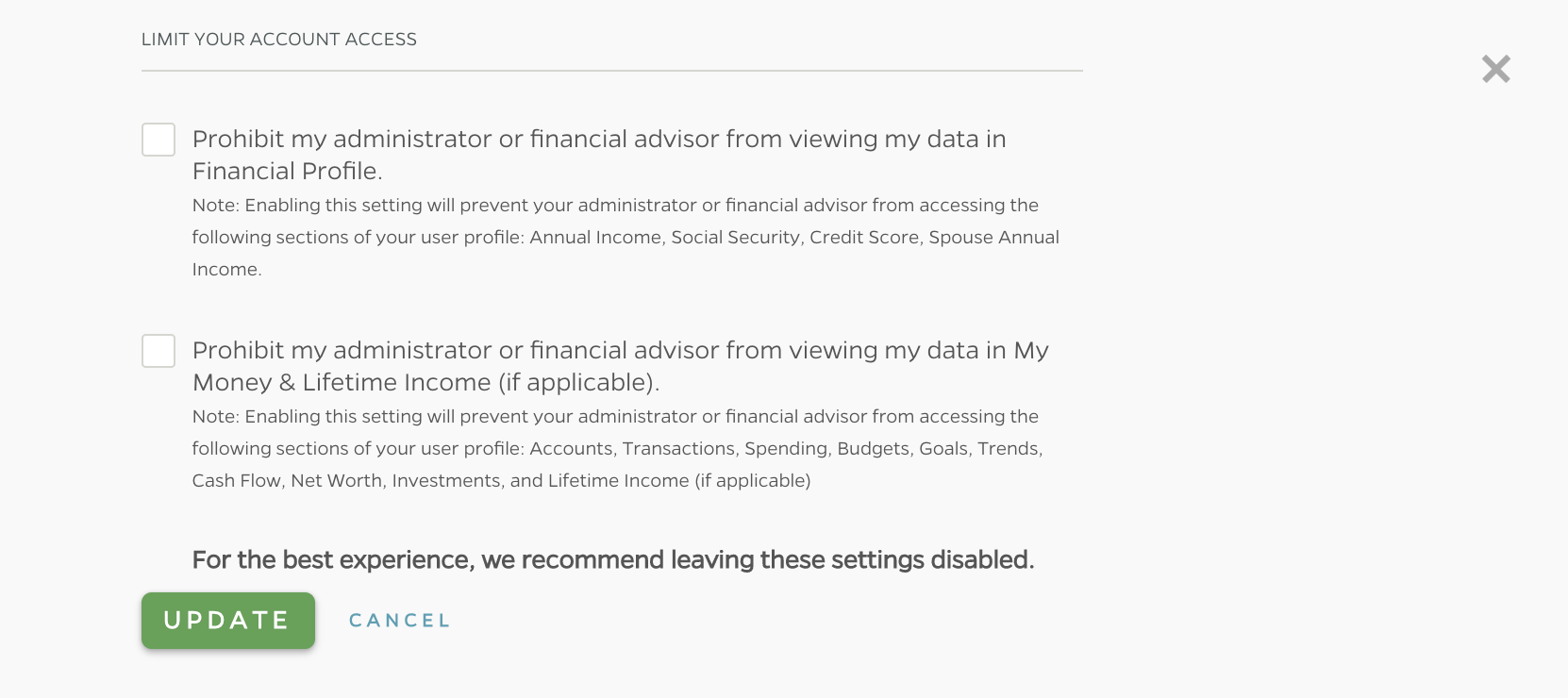
Here you can choose to prohibit your system administrator and financial advisors from seeing your financial information in either your profile (such as annual income, credit score, etc.) or across your My Money and Lifetime Income tabs. After making any changes to these preferences, click 'Update' to save.
Comments
0 comments
Please sign in to leave a comment.